Recent Updates Page 21 Toggle Comment Threads | Keyboard Shortcuts

  • Urban 03:03 on 20 Jan. 2006 Permalink |  

    Creating false-color IR images 

    What is false color?

    With false color I’m referring to what Kodak EIR Ektachrome film does. This means, that the IR part of the spectrum is represented with red color, the red part of the spectrum is shown in green color and the green part in blue color.

    This means that the mapping of channels changes from (red → red, green → green, blue → blue) to this:

    IR → red
    red → green
    green → blue
    blue → discarded

    More information on how to shoot in IR.


    What does it mean?

    It means you have to take 2 images for every false-color shot.
    One has to be in IR and the other one in visible light. They have to be perfectly aligned, so the camera shouldn’t move between shots. It’s best if you use a tripod.
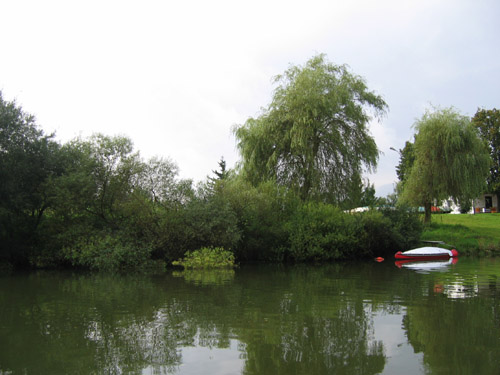
     

    Image in visible light


    Image (same scene) in IR


    Then what?

    Next, you have to combine both shots in Photoshop (or some other program), replacing the channels like shown above.
    Before that, I used Auto Levels to equalize the IR image;
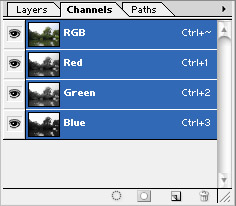
     

    Channels in Photoshop


    Remapping channels

    You have to start from the back though — first you have to select only GREEN channel, copy the “green part” of the image, select BLUE channel and paste “green part” into it.
    Next, select RED channel, copy the image and paste it into GREEN channel.
    Finally, select your IR image, copy it, then select only the RED channel of the visible light image and paste the IR image into it.

    You should get something like this:
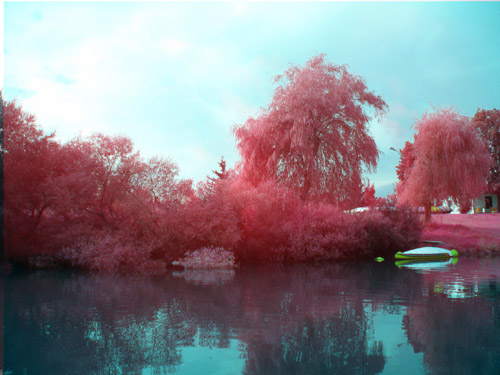
    False-color imitation of Ektachrome
     
  • Urban 02:11 on 15 Jan. 2006 Permalink |  

    Shooting in IR in 5 easy steps 

    1. Select an appropriate camera

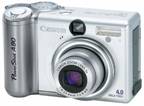
    I used Canon PowerShot A80, when I incidentally discovered that its IR blocking filter passes quite some IR to the CCD.

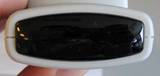
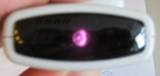
    Check if your camera “sees” IR with a TV remote control. It should look like this:


    2. Get an IR-passing, visible-light-blocking filter

    You can buy quite some of them (Cokin, Hoya), but I chose another way and made one myself from overexposed & developed film. I cut two tiny pieces from the end of some of my old filmstrips (there always is some overexposed slack at the end).
    I used two layers of film (just to make it completely block visible light) and made an improvised IR-passing lens-cap for my camera.
    Another test with the remote control showed that overexposed and developed film is virtually transparent for IR.


    3. Get outside

    Sun is probably the strongest IR illuminator you can afford. Sunlight decreases the exposure times and your pictures end up less grainy.


    4. Take pictures

    It needs some experimenting to get the optimal exposure and focusing. At least in my case, where my DIY filter probably blocked some parts of IR spectrum as well – the image on the LCD was very dark and I had to focus manually by feel.


    5. Postprocess

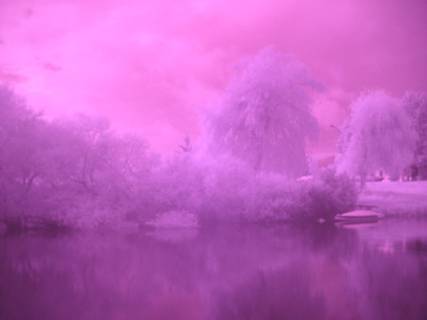
    All pictures have a strong violet tone, like this one:

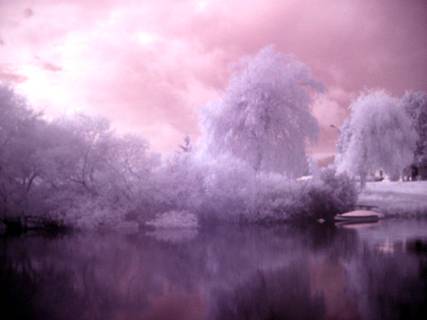
    With some postprocessing (Auto Levels in Photoshop), you can make it look like this:

     
  • Urban 17:35 on 6 Jan. 2006 Permalink |  

    Nikon 

    Pravkar sem našel kompakten fotkič z WiFi-jem

     
  • Urban 09:19 on 21 Dec. 2005 Permalink |  

    Razne napovedi 

    Wired News piše o top tech-trendih za naslednjih par let.
    omenjajo:

    1. Preprostost: vse naprave naj bi postale povsem namenske, v stilu iPoda (s tem se sploh ne strinjam ker je v nasprotju s temo tega bloga; mislim da uspeh iPoda leži čisto drugje – v stilu, ki je gadget spremenil v modni dodatek). Sploh se mi zdi, da si v članku “Simplicity” razlagajo narobe: kot zmanjševanje funkcionalnosti, namesto kot povečevanje preprostosti uporabe
    2. Mobilna socializacija: ‘…according to futurists, we’ve only scratched the surface of figuring out how our portable communications devices can be of service.’ (True, true.) Kaj nas čaka: pravijo da predvsem lokacijske storitve (kje so naši prijatelji), wiki community storitve (glasovanje in pisanje mnenj za restavracije in lokale) in prepoznavanje govora, ki za spremembo deluje. Vse to podkrepljeno še z zaščito zasebnosti (da informacije kje se nahajamo ne more izvedeti kdorkoli)
    3. Prepoznava govora nasploh. pozabite na tipkanje, mejl kar narekujte. (zanima me, kdaj točno se bo to zgodilo; sploh za slovenščino)
    4. za 2006 pa napovedujejo: explosion (…) of a number of technologies: better screens, improved location technology and highly sophisticated gaming consoles that provide a hub for home entertainment.
     
    • GPS Systems 04:21 on 7 Feb. 2006 Permalink

      I just came across your blog and wanted to drop you a note telling you how impressed I was with the information you have posted here.I also have a web site & blog about laptop gps so I know what I’m talking about when I say your site is top-notch! Keep up the great work!

  • Urban 11:12 on 19 Dec. 2005 Permalink |  

    Univerzalni stylus 

    Tukaj je predstavljena nova vhodna naprava, ki bo služila mobilcu prihodnosti namesto tipkovnice: stylus.
    Palčka z oddajnikom, katerega položaj zaznavajo senzorji v mobilcu, lahko služi za pisanje po navadnem zaslonu, zraku, papirju, you name it.

    Zraven je treba priložiti samo še v rolo zvit display, ki ga razgrnemo in čečkamo po njem. Ali še bolje: projektor, ki kar iz mobilca projicira kompletno sliko na zaslon ali mizo.

     
c
Compose new post
j
Next post/Next comment
k
Previous post/Previous comment
r
Reply
e
Edit
o
Show/Hide comments
t
Go to top
l
Go to login
h
Show/Hide help
shift + esc
Cancel